
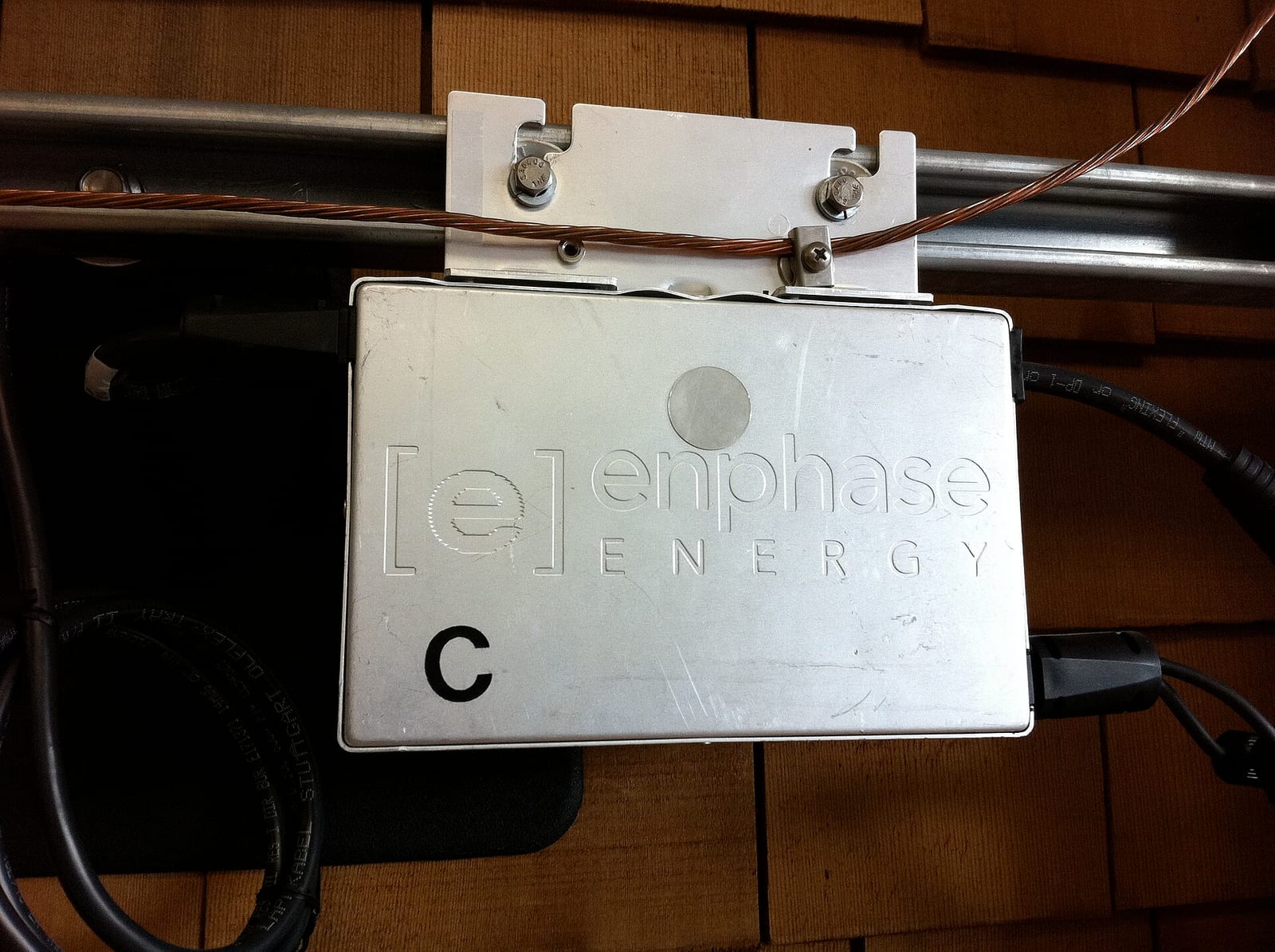
Enphase Enlighten is the monitoring service for Enphase microinverters and batteries, and Enphase now calls its phone app the Enphase App (iOS and Android). Owners log in on a computer at enlighten.enphaseenergy.com, using the email address their installer registered. This guide is based on Enphase’s own owner’s guide and support pages as at November 2026.
It is independent desk research; Solar Cobber has no relationship with Enphase, did not test the app on a live system and was not paid. Nothing here asks you to open equipment or do electrical work.
Key facts
- The Enphase Energy System with IQ Battery 5P owner’s guide (document USG-00018-4.0, Australian edition, 2025) says the Enphase App is available on the Apple App Store and Google Play Store and on the web at https://enlighten.enphaseenergy.com.
- The same owner’s guide says activation instructions are emailed to the address you gave your installer, with the subject line “Activate Your Online Solar Monitoring Account” from donotreply@enphaseenergy.com.
- Enphase’s homeowner page says the Enphase App shows live production, consumption and savings, and tracks performance down to each individual solar panel.
- The Enphase owner’s guide says Enphase batteries run in three smart profiles, Self-Consumption, Savings and Full Backup, and that a reserve capacity set to 30 per cent means the batteries will not discharge below 30 per cent unless there is an outage.
- Enphase’s IQ Gateway has a Network communication LED that is solid green when connected to the internet and red when it only reaches the local network, according to the same guide.
- Home Assistant’s Enphase Envoy documentation says gateway firmware 7.0 and later needs an Enphase cloud login to obtain an access token that is valid for one year.
Is Enphase Enlighten the same as the Enphase App?
Yes, in practice. Enphase’s current pages and owner’s guide say “Enphase App”, while the web login address and older articles still use “Enlighten” and “MyEnlighten”. Enphase’s critical updates page uses “Enphase App” throughout and does not explain the rename, so treat the names as the same service.
You can use the app on a phone or the web version in a browser. Both log in to the same account. Per-panel data comes from the microinverters in your Enphase IQ8 system, and battery control appears if you own an IQ Battery 5P. For the company overview see Enphase in Australia.
How to log in and set up the Enphase App
Your installer registers the system with your email, Enphase emails you an activation link, and you set a password. After that you sign in at the web address above or in the app. The “Not a member yet?” link on Enphase’s sign-up page is for new owners who have not received the email.
- Ask your installer to register the system under your own email address, not theirs.
- Look for the activation email (check spam and junk, because the owner’s guide asks you to unblock the sender).
- Set a password, then sign in on the Enphase App or the web portal.
- If you forget your password, use “Forgot your password?” on the sign-in page. The web sign-in also offers a “Sign in via code” option that sends a six digit code to your registered email.
Enphase’s critical updates page also lists articles on adding other users with view-only access, clearing browser cookies when login fails, and finding your installer’s contact details. Installers use a separate tool, the Enphase Installer Platform, to commission systems.
The video above is a short homeowner walkthrough of the Enphase App from Enphase’s own training channel.
How does the gateway connect to the internet?
The IQ Gateway collects production and performance data and sends it to the cloud over your home Wi-Fi, Ethernet or, on some systems, a cellular modem. Enphase’s guide says live status, energy monitoring and Storm Guard only work with an active internet connection, and that failing to stay online may affect the warranty.
How to read the Enphase dashboard
The app shows what the system makes, what the home uses and what flows to or from the grid, with a battery section if you have one. Consumption figures only appear if the system has consumption current transformers (CTs, small sensors clipped around your meter wires) on a metered gateway.
| Term in the app | What it means |
|---|---|
| Producing | Power your panels make right now, in kW |
| Consuming | Power the home is using right now (needs consumption CTs) |
| Exporting / Importing | Power flowing to or from the grid |
| Charging / Discharging | Power going into or out of the battery |
| Live status | Real-time energy flow diagram of the system |
| On Grid / Off Grid | Whether a backup-enabled system is connected to the grid or running in a blackout |
| Per-panel view | Output for each microinverter, so one shaded or faulty panel stands out |
Table: Enphase App terms, based on Enphase’s owner’s guide and homeowner page, checked November 2026.
Without CTs the app can still show production, but not self-consumption or true household use. If your app shows no consumption, ask your installer whether the quote included CTs.
How do the Enphase battery profiles work?
Enphase batteries run one of three smart profiles, which you choose in the app. Per the owner’s guide, Self-Consumption and Savings are available on grid-tied systems, and Full Backup is added on backup-enabled systems.
| Profile | What Enphase says it does | Suits |
|---|---|---|
| Self-Consumption | Prioritises using or storing your solar over exporting it; needs a reserve capacity on backup systems | Homes with low feed-in tariffs |
| Savings | Under time-of-use rates, discharges the battery in peak hours; you enter your rate schedule | Homes on time-of-use plans |
| Full Backup | Holds the battery for outages, so it discharges only when the grid is down | Blackout-prone areas |
Table: Enphase smart profiles from the Enphase Energy System with IQ Battery 5P owner’s guide (USG-00018-4.0), checked November 2026.
Storm Guard is an app feature on backup-enabled systems that switches the profile to Full Backup when severe weather is detected, then reverts afterwards. The guide also says the battery shutdown level during an outage defaults to 10 per cent. See peak and off-peak times for when Savings mode should discharge.
Reserve is the part owners misjudge. Solar Cobber calculation: usable energy left for daily cycling equals the number of units times 5.0 kWh usable per unit times (1 minus the reserve).
- 10% reserve
- 30% reserve
- 50% reserve
Source: Solar Cobber calculation using 5.0 kWh usable per IQ Battery 5P from the Enphase datasheet DSH-00745 (July 2025) and the reserve mechanism in Enphase owner's guide USG-00018-4.0. Ignores the small internal reserves Enphase builds into the 5.0 kWh figure.
View the data as a table
| 10% reserve | 30% reserve | 50% reserve | |
|---|---|---|---|
| 1 unit | 4.5 kWh | 3.5 kWh | 2.5 kWh |
| 2 units | 9.0 kWh | 7.0 kWh | 5.0 kWh |
| 3 units | 13.5 kWh | 10.5 kWh | 7.5 kWh |
A 30 per cent reserve on one battery leaves about 3.5 kWh for evening use, which is why many owners lower the reserve in summer. Our Enphase battery price guide covers costs.
Common Enphase problems and fixes
Most monitoring problems are the gateway losing its internet connection, which stops reporting but does not stop your solar from producing. Enphase’s critical updates page says a gateway that is offline but powered stores data locally and uploads it when it reconnects.
| Symptom in the app | Likely cause | What the owner can safely do | When to call the installer |
|---|---|---|---|
| Gateway not reporting | Changed router, Wi-Fi name or password, or internet provider; gateway network LED red | Check the home internet, then reconnect the gateway in the app or by Ethernet | If it stays offline after reconnecting |
| Data uploading | Gateway reconnected and is backfilling stored data | Wait; Enphase’s May 2024 notice estimates about one hour of upload per day offline | If it never finishes |
| Microinverters not reporting | Power-line interference, which Enphase says can come from surge protectors, UPS units and some chargers or motors | Wait 15 to 20 minutes; unplug nearby plug-in surge protectors only if you can do so safely | If it persists for days |
| Battery not reporting | Communication issue; Enphase’s June 2024 notice applies this to IQ Battery 3, 3T, 10 and 10T | Wait 15 to 20 minutes per the owner’s guide | If longer than 20 minutes, contact Enphase Support |
| No consumption data | No consumption CTs or a metered gateway | Nothing; it is a hardware matter | Ask whether CTs were quoted |
| Cannot log in | Wrong email, cookies, or password | Use “Forgot your password?” or “Sign in via code”, clear browser cookies | If your email was never registered |
Table: common messages and fixes from Enphase’s critical updates page and IQ Battery 5P owner’s guide, checked November 2026.
Do not open the gateway, combiner, microinverters or battery. The owner’s guide warns they contain no user-serviceable parts.
What do the IQ Gateway lights mean?
The IQ Gateway has a Network communication LED and a Power production LED you can read without touching anything. The owner’s guide lists these:
| LED | Colour and state | Meaning |
|---|---|---|
| Network communication | Green | Connected to the Enphase Installer Platform |
| Network communication | Flashing green | Connecting to Enphase or the Wi-Fi router |
| Network communication | Red | Connected to the local network only, without internet |
| Network communication | Off | No network available |
| Power production | Green | All microinverters are producing power |
| Power production | Red | One or more microinverters have stopped producing |
| Power production | Flashing red | Microinverters not yet detected |
| Power production | Flashing green | A microinverter upgrade is in progress |
Table: IQ Gateway LEDs from the Enphase owner’s guide USG-00018-4.0, checked November 2026. The Device communication LED rows in the document’s table were not legible in our copy, so they are omitted.
Enphase notes the production LED is usually red at dawn and dusk, off at night and flashing red after the gateway restarts, so a red light at 6 am is not a fault.
Enphase status and error messages
The Enphase App shows plain messages rather than numbered codes. The microinverters carry their own LEDs under the panels, which your installer reads. The Enphase IQ8 installation and operation manual (IOM-00068-1.0, January 2024) lists:
| Microinverter LED | Meaning per Enphase |
|---|---|
| Flashing green | Normal operation, grid normal, communicating with the IQ Gateway |
| Flashing orange | Grid normal, but no communication with the IQ Gateway |
| Flashing red | AC grid absent or outside specification |
| Solid red | Active “DC Resistance Low, Power Off Condition” |
Table: IQ8 microinverter status LEDs, Enphase manual IOM-00068-1.0 (January 2024), read November 2026.
A solid red light means the microinverter measured low insulation resistance between the panel wiring and ground and shut off. Enphase’s manual says causes include defective module insulation, wiring or connectors, or moisture, and that clearing it requires an installer using the Enphase Installer Platform. Treat it as an installer job.
Free and paid tiers, data retention and exports
We could not find a published Enphase Australia price or subscription tier for the Enphase App, and we could not confirm how long it keeps data or whether you can export it. Enphase’s terms of service are linked from the owner’s guide at enphase.com/en-au/legal/terms-of-service; read them before relying on historical data. One cost is certain: consumption monitoring needs CTs and a metered gateway, which add hardware to the quote.
What the numbers should look like
A healthy system in Sydney should produce about 3.9 kWh per kW of panels each day on average, and Alice Springs about 5.0. These are Clean Energy Council guide figures, the same ones used in our Fronius Solar.web guide, so owners of any brand can compare.
View the data as a table
| CEC guide output | |
|---|---|
| Alice Springs | 5.0 kWh |
| Darwin | 4.4 kWh |
| Perth | 4.4 kWh |
| Canberra | 4.3 kWh |
| Brisbane | 4.2 kWh |
| Adelaide | 4.2 kWh |
| Sydney | 3.9 kWh |
| Melbourne | 3.6 kWh |
| Hobart | 3.5 kWh |
Alice Springs produces about 43% more per kW than Hobart. Because Enphase shows every panel, the useful per-panel number is the daily output of one panel.
Solar Cobber calculation: a 440 W panel (0.44 kW) times the city figure above.
| City | Expected kWh per day per 440 W panel |
|---|---|
| Alice Springs | 2.20 |
| Darwin and Perth | 1.94 |
| Canberra | 1.89 |
| Brisbane and Adelaide | 1.85 |
| Sydney | 1.72 |
| Melbourne | 1.58 |
| Hobart | 1.54 |
Table: expected average daily output per 440 W panel, Solar Cobber calculation from Clean Energy Council guide figures, November 2026.
Panels facing different directions will differ legitimately, so compare panels on the same roof face. One panel far below its neighbours on a clear day, with no shade, is what to show your installer. For a whole system, the Clean Energy Regulator’s deemed rating (zone rating times system size, divided by 365) gives a conservative floor.
- CEC guide
- CER deemed
View the data as a table
| CEC guide | CER deemed | |
|---|---|---|
| Alice Springs | 33.0 kWh | 29.3 kWh |
| Darwin | 29.0 kWh | 27.8 kWh |
| Perth | 29.0 kWh | 25.0 kWh |
| Canberra | 28.4 kWh | 25.0 kWh |
| Brisbane | 27.7 kWh | 25.0 kWh |
| Adelaide | 27.7 kWh | 25.0 kWh |
| Sydney | 25.7 kWh | 25.0 kWh |
| Melbourne | 23.8 kWh | 21.4 kWh |
| Hobart | 23.1 kWh | 21.4 kWh |
A 6.6 kW system in Perth should make roughly 25 to 29 kWh on a clear day, and in Melbourne 21 to 24 kWh. These are annual averages: summer beats them and winter days fall well below. We did not source monthly figures, so judge against a rolling month rather than one cloudy day.
How long does Enphase hardware last, and what does the app need?
Enphase’s own warranty terms give different lengths to different parts, and the gateway is the shortest-lived piece the app depends on. The microinverter and battery terms come from Enphase’s Australian warranty documents as summarised in our reviews.
View the data as a table
| Warranty years | |
|---|---|
| IQ8 microinverter | 25 years |
| IQ Battery 5P | 15 years |
| IQ System Controller 3 INT | 10 years |
| IQ Gateway Metered, IQ Relay, CTs | 5 years |
| Line filter | 2 years |
The gateway and CTs carry only 5 years against 25 for the microinverters, so a monitoring failure in year 8 is usually a paid fix. Enphase’s warranty also says products should stay continuously connected to the internet, which is another reason to fix offline messages promptly. Read the IQ8 review for labour and claim limits.
Third-party monitoring and integrations
Home Assistant can read an Enphase gateway locally, but firmware 7.0 and later needs your Enphase cloud login to fetch an access token valid for one year. Home Assistant refreshes it 30 days before expiry, and if multi-factor authentication is on, you enter the token manually. The Enphase cloud is used only for setup and renewal.
Amber lists the IQ Battery 5P and 5P with FlexPhase as compatible with its SmartShift service, labelled open beta when we checked; see our Amber Electric review. Retailer control reduces your own control during events, so read the terms; our VPP guide explains the trade-offs.
When to call your installer
Call when gateway or microinverter messages persist beyond a router restart and 20 minutes, when a microinverter LED is solid red, when one panel stays far below its neighbours, or when the battery will not recover from a shutdown. If your installer has closed, see our tracker of solar company failures and browse installers in our directory.
FAQ
What is Enphase Enlighten?
Enphase Enlighten is Enphase’s cloud monitoring service for microinverter solar and battery systems. Enphase now calls the phone app the Enphase App, but the web login still lives at enlighten.enphaseenergy.com. It shows production, consumption, battery status and per-panel output.
How do I log in to the Enphase App?
Sign in with the email address your installer registered and the password you set after the activation email. Use the web portal at enlighten.enphaseenergy.com or the iOS and Android app. If you never received the email, check spam and ask your installer to confirm the address.
Why does my Enphase Gateway say not reporting?
The usual cause is a lost internet connection, often after a new router, Wi-Fi name, password or provider. Enphase says a solid green Network LED means connected, and red means local network only. Reconnect it using the app or Ethernet, and call your installer if it stays offline.
Is Enphase Enlighten free?
We could not find a published Australian price or subscription for the Enphase App, and cannot confirm either way. Check your installer’s quote and Enphase’s terms of service. Consumption data needs extra hardware (CTs and a metered gateway).
What are the Enphase battery profiles?
Enphase offers Self-Consumption, Savings and Full Backup. Self-Consumption prioritises using your own solar, Savings discharges in peak time-of-use periods and Full Backup holds the battery for blackouts. A reserve setting keeps a share of the battery for outages.
Do I need the internet for my Enphase system to work?
Your panels keep producing without internet, but monitoring, Storm Guard and app control do not work. Enphase’s guide says the system is intended to stay connected and that long disconnection may affect the warranty. A powered gateway stores data and uploads it later.
Can I use Home Assistant with Enphase?
Yes, through the Enphase Envoy integration, but gateway firmware 7.0 and later needs a token from your Enphase cloud account, valid for one year. If you use multi-factor authentication, enter the token manually.
Sources
- Enphase Energy System with IQ Battery 5P owner’s guide, USG-00018-4.0 (PDF, Australia)
- Enphase Australia, homeowners page (Enphase App)
- Enphase, critical updates for homeowners
- Enphase IQ8 installation and operation manual, IOM-00068-1.0, January 2024 (status LEDs)
- Enphase Enlighten web sign-in
- Home Assistant, Enphase Envoy integration
- Enphase Australia warranty documents
- Clean Energy Regulator, postcode zone ratings
- Enphase App Homeowners’ Walkthrough (YouTube, Enphase Energy Training)
About this guide
By the Solar Cobber editorial team. This is independent desk research checked in November 2026, based on Enphase’s published documents rather than hands-on use. Solar Cobber is a free directory that may earn referral or advertising fees from installers, and commercial relationships never affect our content. This is general information, not financial or electrical advice. Corrections are welcome via /contact.
Filed under Solar Guides
Back to blog