
SolarEdge monitoring is the free cloud service that shows what each solar panel and inverter is producing. You use it through the SolarEdge monitoring platform (the manual points to monitoring.solaredge.com) on a computer, or the free mySolarEdge app on iOS and Android. Your installer normally creates the site and invites your email address. As at November 2026, SolarEdge is winding down its Australian operations (details below).
This is independent desk research from SolarEdge’s manuals and app listings plus news reports. Solar Cobber did not test the platform on a live system, has no relationship with SolarEdge and was not paid for this guide.
Key facts
- SolarEdge’s single phase HD-Wave installation manual (version 1.4, November 2021) says the monitoring platform shows a logical layout and a physical layout, and that the physical layout pinpoints a problem to the exact module on a virtual site map.
- The Apple App Store listing for mySolarEdge in Australia, read in November 2026, shows a free app from SolarEdge Technologies Ltd rated 4.6 out of 5 from 6.7 thousand ratings, and says it needs monitoring permission from your installer.
- The same App Store listing says energy usage monitoring in mySolarEdge needs a consumption meter.
- pv magazine Australia reported on 9 November 2026 that SolarEdge is ending direct sales and operations in Australia and New Zealand, with final purchase orders due by 20 November 2026 and final deliveries by 18 December 2026.
- pv magazine Australia and SolarQuotes both reported in November 2026 that SolarEdge warranty claims and technical help will continue through an international call centre and an online self-service portal.
- SolarEdge’s manual says an inverter’s communication setup is not needed for the system to generate power, only for using the monitoring platform.
What is SolarEdge monitoring, and what about SolarEdge ONE?
SolarEdge monitoring is a cloud platform that receives data from SolarEdge inverters, power optimisers and connected devices such as a battery or consumption meter. The manual says the inverter sends optimiser data received over the DC wiring, its own data and data from other connected devices.
| Name | What it is | Who uses it |
|---|---|---|
| Monitoring platform (monitoring.solaredge.com) | Web portal with layout, charts and alerts | Owner and installer |
| mySolarEdge | Free owner app for iOS and Android | Owner |
| SetApp | Installer app used to activate and commission the inverter | Installer |
| Mapper | Phone app that scans optimiser barcodes to build the physical layout | Installer |
| SolarEdge ONE | SolarEdge’s energy optimisation software | Owner, in supported markets |
Table: SolarEdge monitoring names, from the SolarEdge HD-Wave manual (v1.4), the Apple App Store listing and SolarEdge’s 2023 announcement, checked November 2026.
SolarEdge ONE is an optimisation system that SolarEdge announced in June 2023 for dynamic and time-of-use tariffs, aimed mainly at European homes. We found no SolarEdge page showing it is switched on for Australian homes. The SolarEdge ONE page we could find says settings are made through mySolarEdge, so for Australian owners the practical interface is still the app and the platform.
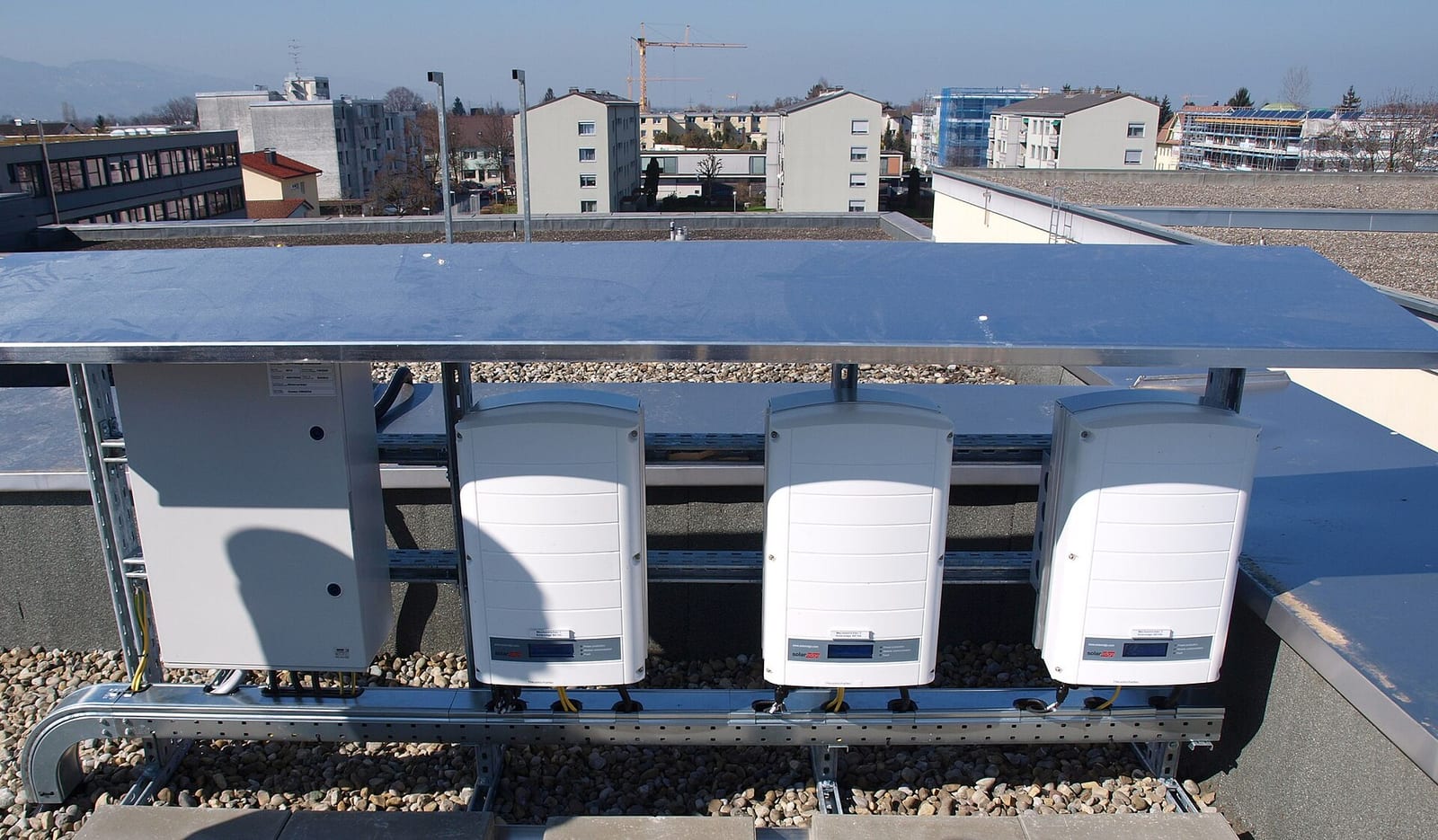
SolarEdge ONE and the Australian exit: what it means for monitoring
SolarEdge announced with its third quarter results that it is exiting Australia and New Zealand. Reports in November 2026 agree on the dates and on warranty and support, but none we read says monitoring will stop.
pv magazine Australia (9 November 2026) says direct sales and operations are being wound down, certification renewals will not continue, and warranty and technical help remain available through an international call centre and an online self-service portal. SolarQuotes (5 November 2026) reports the same support route and that Australian staff have reportedly left. Neither article says whether monitoring access continues, and a reader comment on SolarQuotes saying it should carry on is not a company statement.
For owners, the practical points are these:
- A working system does not stop generating because the supplier is leaving. The manual says monitoring is not needed for power generation.
- Keep your invoice, serial numbers, warranty papers and a copy of your monitoring history. Energy Matters says your first contact for a consumer guarantee claim is usually the business named on your invoice.
- The SolarEdge Home Battery warranty requires the battery to stay connected to SolarEdge monitoring, per our SolarEdge Home Battery review. Keep the connection healthy.
- If you are buying, read the SolarEdge Home Hub inverter review and what power optimisers do first, and ask who will service the system. If your installer has closed, see our tracker of Australian solar company failures.
How to log in and set up SolarEdge monitoring
Most Australian owners do not create the site themselves. The installer registers the system on the monitoring platform using the inverter serial number, and you receive access under your email address.
- Ask your installer to add your email address as the owner. The App Store listing says the app needs monitoring permission from your installer.
- Open the monitoring platform or install mySolarEdge from the App Store or Google Play, then log in with your account.
- If you forget the password, use the reset link on the login page. SolarEdge’s pages we could open do not list an Australian phone number for resets; SolarQuotes lists 1800 465 567 at the time of its 5 November 2026 article.
How does the installer set up the system?
The installer activates and commissions the inverter with the SetApp phone app. The manual says SetApp creates a Wi-Fi connection to the inverter, upgrades the firmware and activates it, then walks through country, grid and communication settings.
The manual lists four ways to reach the monitoring platform: Ethernet (LAN), the inverter’s built-in Wi-Fi, a Wireless Gateway with repeaters, and a cellular plug-in. It says only SolarEdge communication products are supported. For physical layout, the installer maps the optimisers with the Mapper app or the Designer tool.
The video above is SolarEdge’s own short introduction to the mySolarEdge app for owners, published on its SolarEdgePV channel. It is about four years old, so some screens may have changed.
How to read the dashboard and the panel layout
The dashboard shows production, and with a consumption meter it shows home use, grid import and export. The layout view is the feature that sets SolarEdge apart: because every panel has an optimiser, you can see output panel by panel.
An Australian installer’s knowledge base (Solarhub) describes the app’s main screens as a live energy flow diagram, production and consumption graphs by day, week, month or year, battery history for SolarEdge batteries, and a per-panel production layout. It adds that panel data is cumulative for the day, so east facing panels peak earlier, and panels facing the same way should end the day with similar totals unless shaded or faulty.
| Term | What it means in SolarEdge monitoring |
|---|---|
| Production | Energy the panels and inverter generate |
| Consumption | Home use, shown only with a consumption meter |
| Logical layout | A tree of inverter, optimisers and strings, shown when no physical map exists |
| Physical layout | A bird’s eye map of panel positions, built from the installer’s mapping |
| Battery state | Charge level of a SolarEdge battery, in the app’s battery view |
| Operating modes | Maximise Self Consumption (default), Time of Use, Manual Control and Backup only, per Solarhub |
Table: terms in SolarEdge monitoring, from the SolarEdge manual (v1.4) and the Solarhub knowledge base, checked November 2026.
If the installer did not map the optimisers, the manual says you see the logical layout only, with no string or physical locations. Ask for the mapping to be completed. Our smart meters and solar guide explains why consumption needs a meter.
Common problems and fixes
Most problems are communication problems: the inverter keeps generating but data stops reaching the cloud. SolarEdge’s manual lists Wi-Fi, firewall and router checks as the first steps.
| Symptom | Likely cause | What an owner can safely do | When to call the installer |
|---|---|---|---|
| Blue LED off, no data in app | Router, Wi-Fi password or internet changed | Check the router and internet work on another device | If you changed router or it does not return |
| Cannot log in | Account not invited or wrong password | Use the password reset; check the invite email | If you never received access |
| Panels missing from layout | Optimisers not mapped, or a panel not reporting | Note which panels and the time | Always: the installer maps or inspects |
| Green LED blinking | AC is on but the system is not producing; unpaired optimisers is one cause (Solarhub) | Check it in daylight | If it persists past a day |
| Red LED on | An error is active | Read the code in the app or platform | Yes |
| Layout missing or wrong | Mapping never done | Ask for mapping | Yes |
Table: common SolarEdge monitoring problems, from the SolarEdge manual (v1.4) and Solarhub, checked November 2026.
Do not open the inverter or switchboard, and do not touch optimiser wiring. The manual’s own steps for string voltage faults involve disconnecting DC wiring and measuring voltages, which is installer work only.
Inverter status lights and error codes
The three LEDs on the inverter are green (performance), blue (communication) and red (error). Their meaning, per SolarEdge’s manual and the Solarhub knowledge base, is below.
| LED | Solid | Blinking | Off |
|---|---|---|---|
| Green | Producing | AC connected, not producing | No AC power |
| Blue | Communicating with the monitoring platform | See combinations | No communication |
| Red | A system error is active | See combinations | No fault |
Table: SolarEdge inverter LEDs, from the manual (v1.4, November 2021) and Solarhub, checked November 2026. Screened and screenless models differ, so check your model’s guide.
Solarhub lists these combinations: all three blinking means the system is pairing; green and blue blinking is wake-up and grid monitoring that should last about 5 minutes; red and green blinking can mean a PID rectifier fault when the inverter is on, or an unsafe DC voltage when it is off; all three solid means configuration mode or a reboot.
The manual says errors appear with codes in the monitoring platform and SetApp. To see them, open the site, click the Layout icon, right-click the inverter, choose Info and open the Errors tab. It groups LED errors into arc detected, isolation or RCD problem, grid error, high temperature, pairing failed and other. The manual also says the full code list is in a separate SolarEdge document.
We could not open that official error code PDF because SolarEdge’s site blocked automated downloads, so this guide does not publish a code table. Third party blog lists of codes disagree with each other, and we would rather not print numbers we could not check. Use the code shown in your own app, and send a photo to your installer. See also inverter repair and replacement costs.
Free and paid tiers, data retention and exports
The mySolarEdge app is free, per its App Store listing. We could not find a published SolarEdge fee schedule for Australian homeowners, a data retention period, or an export policy, so we cannot state them. Ask your installer or keep your own copies of key readings.
What the numbers should look like
A healthy Sydney system should average about 3.9 kWh per kW of panels each day, while Alice Springs gives about 5.0 and Hobart about 3.5. These are Clean Energy Council guide figures, also used in our Fronius Solar.web guide.
View the data as a table
| CEC guide output | |
|---|---|
| Alice Springs | 5.0 kWh |
| Darwin | 4.4 kWh |
| Perth | 4.4 kWh |
| Canberra | 4.3 kWh |
| Brisbane | 4.2 kWh |
| Adelaide | 4.2 kWh |
| Sydney | 3.9 kWh |
| Melbourne | 3.6 kWh |
| Hobart | 3.5 kWh |
Alice Springs produces about 43% more per kW than Hobart.
To check lifetime and yearly totals in the app, multiply for your system. A 6.6 kW system on the CEC figures should produce between about 8,400 and 12,000 kWh a year, and the Clean Energy Regulator’s conservative deemed rating sits below the CEC figure in every city.
- CEC guide
- CER deemed
Source: Solar Cobber calculation from Clean Energy Council guide output and Clean Energy Regulator zone ratings (1.622, 1.536, 1.382 and 1.185 MWh per kW per year). CEC: kW per day x 6.6 x 365. CER: zone rating x 6.6.
View the data as a table
| CEC guide | CER deemed | |
|---|---|---|
| Alice Springs | 12,045 kWh | 10,705 kWh |
| Darwin | 10,600 kWh | 10,138 kWh |
| Perth | 10,600 kWh | 9,121 kWh |
| Canberra | 10,359 kWh | 9,121 kWh |
| Brisbane | 10,118 kWh | 9,121 kWh |
| Adelaide | 10,118 kWh | 9,121 kWh |
| Sydney | 9,395 kWh | 9,121 kWh |
| Melbourne | 8,672 kWh | 7,821 kWh |
| Hobart | 8,432 kWh | 7,821 kWh |
A Perth system should reach about 9,100 to 10,600 kWh a year, and a Melbourne system about 7,800 to 8,700 kWh.
Solar Cobber calculation for the layout view: a panel’s expected daily kWh is its rated kilowatts multiplied by the city figure. A 440 W panel (0.44 kW, the size of the SolarEdge S440 optimiser class) in Sydney should therefore finish a clear day near 0.44 x 3.9 = 1.7 kWh in the per-panel view.
Source: Solar Cobber calculation from Clean Energy Council guide output, checked November 2026.
View the data as a table
| Per 440 W panel | |
|---|---|
| Alice Springs | 2.20 kWh |
| Darwin | 1.94 kWh |
| Perth | 1.94 kWh |
| Canberra | 1.89 kWh |
| Brisbane | 1.85 kWh |
| Adelaide | 1.85 kWh |
| Sydney | 1.72 kWh |
| Melbourne | 1.58 kWh |
| Hobart | 1.54 kWh |
Panels facing the same way, unshaded and unfaulted, should end a clear day within a few per cent of each other. These are annual averages, so summer days beat them and winter days fall below. We did not source monthly figures for this guide. A panel that is far below its neighbours on clear days is worth showing your installer.
Third party monitoring and integrations
SolarEdge’s manual says RS485 can connect external meters and third party data loggers, and that only SolarEdge communication products are supported for the cloud link. We did not verify SolarEdge’s documentation for Home Assistant, Solar Analytics or retailer and VPP control in Australia, so confirm compatibility first. For what a retailer-controlled battery means, read what a VPP is.
When to call your installer
Call when a red LED persists, an arc, isolation or grid error repeats, panels vanish from the layout, or data stays offline after your router is working. With the SolarEdge exit, ask who will service the system. If your installer has gone, find a local installer in our directory. For the hardware, see our SolarEdge Home Hub inverter review and SolarEdge Home Battery review.
FAQ
How do I log in to SolarEdge monitoring?
Log in on the SolarEdge monitoring platform or the mySolarEdge app with the email and password of your owner account. Your installer normally creates the site and adds your email. If you have no access, ask the installer to send the invite.
What is the mySolarEdge app?
mySolarEdge is SolarEdge’s free app for system owners on iOS and Android. It shows energy production and use, panel layout and, with a SolarEdge battery, charge history. The App Store listing says it needs monitoring permission from your installer.
Is SolarEdge ONE available in Australia?
We found no evidence that SolarEdge ONE is switched on for Australian homes. SolarEdge announced it in 2023 for European dynamic tariffs. Ask your installer before relying on it.
Does the SolarEdge exit stop my monitoring?
No report we read says monitoring will stop. pv magazine Australia and SolarQuotes say warranty and technical support continue through an international call centre and an online portal. Watch SolarEdge’s notices and keep your records.
What do SolarEdge LEDs mean?
Green means the system is producing, blue means the inverter is talking to the monitoring platform and red means an error is active. Blinking patterns vary. Check your model’s guide.
Where do I find SolarEdge error codes?
Errors show with codes in the monitoring platform and SetApp. Open the site, click Layout, right-click the inverter, choose Info and open the Errors tab. SolarEdge publishes the full list in a separate document.
Why is my SolarEdge system offline?
Usually the internet link between inverter and router has dropped. Check the router, Wi-Fi password and the inverter’s blue LED. Your system keeps generating while offline, but contact your installer if it does not return.
Sources
- SolarEdge, Single Phase Inverter with HD-Wave Technology installation guide MAN-01-00540-1.4, November 2021 (distributor copy)
- Apple App Store, mySolarEdge (Australia)
- Solarhub, understanding the mySolarEdge app
- Solarhub, understanding LED status and alerts
- pv magazine Australia, SolarEdge exits Australian market, 9 November 2026
- SolarQuotes, SolarEdge Cuts The Cord On Australia, 5 November 2026
- Energy Matters, SolarEdge Leaving Australia: What Happens to Your Solar Warranty?
- SolarEdge, SolarEdge ONE announcement, June 2023
- Clean Energy Regulator, postcode zone ratings
About this guide
By the Solar Cobber editorial team. This is independent desk research checked in November 2026, based on published documents rather than hands-on use. Solar Cobber is a free directory that may earn referral or advertising fees from installers, and commercial relationships never affect our content. This is general information, not financial or electrical advice. Corrections are welcome via /contact.
Filed under Solar Guides
Back to blog