
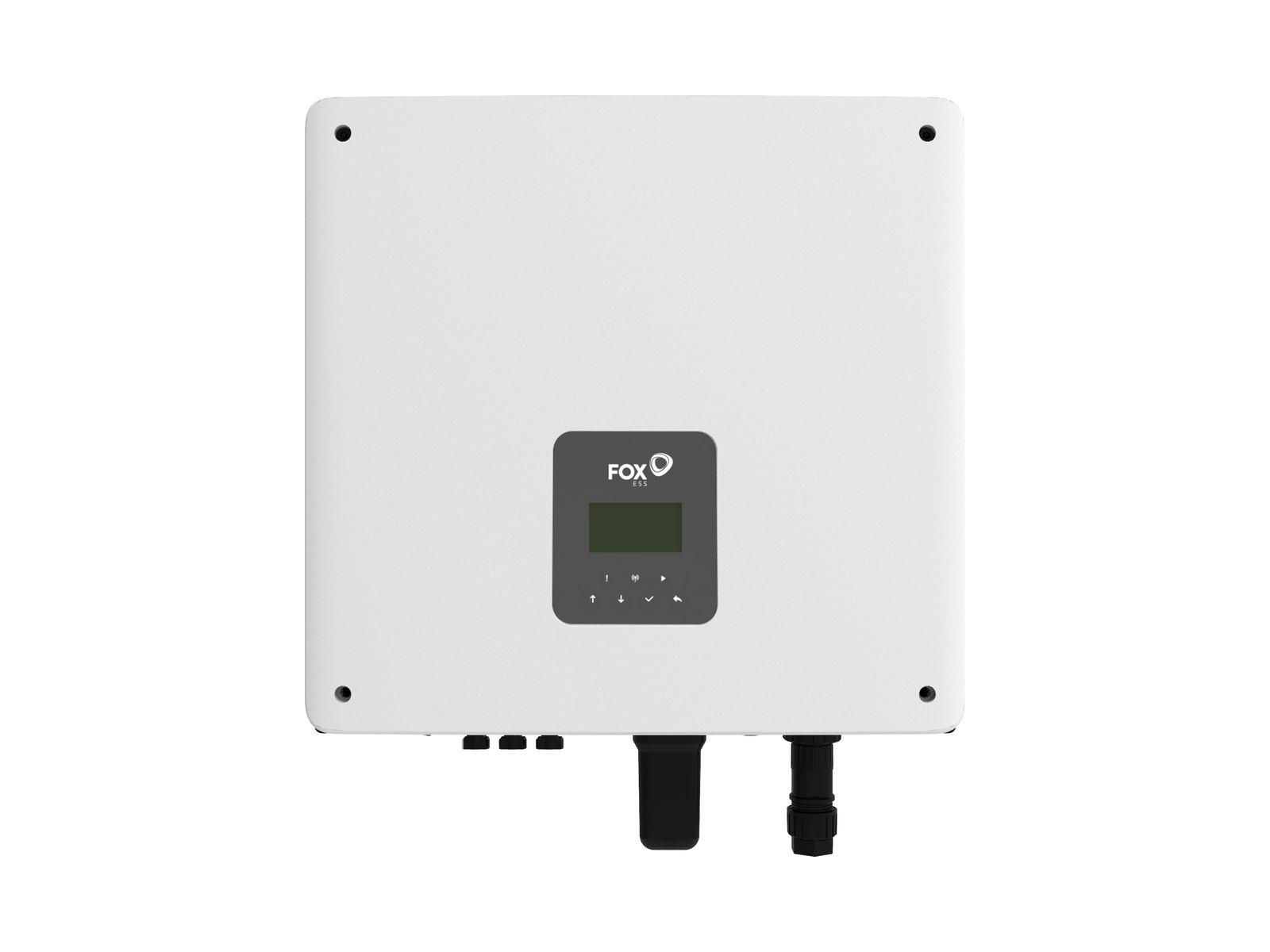
FoxESS Cloud is the monitoring service for Fox ESS solar inverters and batteries, made by Fox ESS (FOXESS CO., LTD., Wenzhou, China). As at November 2026 you log in on the web at foxesscloud.com/v2 or in the FoxCloud 2.0 app, which is a free download from the Apple App Store and Google Play. This guide is based on Fox ESS’s own manuals, not hands-on use.
It is independent desk research: Solar Cobber has no relationship with Fox ESS, did not test the app on a live system and was not paid for this guide. Nothing here asks you to open the inverter, battery or switchboard.
Key facts
- The Fox ESS web manual (version 2.0, 7 September 2025) gives https://www.foxesscloud.com/v2 as the web address for creating an account and logging in to FoxCloud Web 2.0.
- The FoxCloud 2.0 App User Manual for End Users (version 2.1, 5 November 2026) says Android 7 or later or iOS 13 or later is required, and that Wi-Fi setup needs a 2.4 GHz network because 5 GHz may cause configuration to fail.
- The same Fox ESS app manual says a new owner registers with an Account ID and password, that email is optional, and that FoxCloud then creates a plant called “[Your Account ID]'s Home”.
- Fox ESS’s app manual lists Self-use, Feed-in Priority, Backup, Peak shaving and Easy Mode as basic work modes, with Mode Scheduler, AI Mode and VPP Controlled as advanced options, and says available modes vary by region and device model.
- Fox ESS’s February 2026 app manual says Mode Scheduler adds Forced Charge (solar plus grid power) and Forced Discharge (solar plus battery power to loads and the grid) on top of the four basic modes.
- Fox ESS’s app manual says the export limit and import limit are set by a certified installer at commissioning and cannot be changed by the owner in the app.
What is FoxESS Cloud, and what is the difference between the app and the web portal?
FoxESS Cloud (now called FoxCloud 2.0) is Fox ESS’s cloud service that receives data from an inverter, battery, meter and data logger (the Wi-Fi or network stick on the inverter). The app is aimed at owners and the web portal at owners, installers and admins, but both show the same plants.
The app manual covers daily use: energy flow, work modes, tariffs, revenue and battery details. The web manual adds the installer and admin tools, such as batch firmware upgrades and exportable energy reports. Fox ESS’s Australian support site lists the app manual, the web manual and a “FoxCloud 2.0 Scheduler Mode Introduction” among its monitoring documents.
Fox ESS’s own step-by-step video for owners moving to the current platform is below.
How to log in and set up FoxCloud 2.0
You either register your own account and add your inverter, or accept an invitation from your installer. If your installer has already created the plant, do not create a second one: use their link or QR code.
| Account type | Who it is for | How it is created, per Fox ESS |
|---|---|---|
| Owner | The person who owns the system | Tap Register in the app (or Sign Up on the web), choose Owner, enter Account ID and password. Email is optional. |
| Installer or admin | Companies that commission and maintain systems | Web sign-up with a company code from an admin, or by building a new company account |
| Existing owner binding | Owner whose installer built the plant | Open the installer’s invitation link or QR code, then choose “I already have an account” and bind it |
Table: FoxCloud 2.0 account types as described in the Fox ESS app manual (5 November 2026) and web manual (7 September 2025).
To set up yourself, the app manual’s steps are:
- Open FoxCloud 2.0, tap Register, pick your region and language, accept the terms and choose Owner.
- Enter an Account ID and password, then sign in.
- Tap Add Device, select your devices from the search results, then tap Configure.
- Choose your home Wi-Fi (2.4 GHz), enter the password and keep the screen open until Success appears.
Pick the region carefully at registration. A third-party Fox ESS forum thread warns that moving an account between regions is awkward, though we could not find that in Fox ESS’s own manuals.
How do I give my installer access?
On the Home screen tap the three dots, choose Associated Installer, and FoxCloud generates an invitation link. Fox ESS warns the link grants access to your plant, so share it only with your installer or agent. The installer opens it, enters their Account ID and agrees.
What if my installer has closed?
Fox ESS’s manuals do not describe a transfer process for a closed installer, so we cannot state one. The app has Me, Submit a Ticket and Me, Contact Us for local service contacts. Fox ESS Australia’s support site, as at November 2026, lists a WhatsApp technical support group but no phone number or email. Our tracker of Australian solar company failures covers warranty after a closure, and our installer directory lists local companies.
How to read the FoxCloud 2.0 dashboard
The Home screen shows an energy flow diagram with solar, battery, home load and grid, plus the current work mode. Tap Daily Production, Daily Consumption or Battery SOC to open the Analysis page, which has Day, Week, Month, Year and Total views.
| Term in the app | What Fox ESS says it means |
|---|---|
| PV Production | Total solar energy generated, in kWh |
| To Load & Battery | Solar energy used by the home or stored in the battery |
| To Grid | Solar energy exported |
| Self-Consumption | Share of solar generation used by the home or stored in the battery |
| Load Consumption | Total energy used by the loads |
| From PV & Battery | Energy supplied by solar or battery discharge |
| From Grid | Energy imported |
| Self-Sufficiency | Share of consumption supplied by solar and battery rather than the grid |
| SOC | Battery state of charge, as a percentage |
| SOH and Cycle Count | Battery state of health and accumulated charge cycles, under Detailed Parameters |
Table: dashboard terms from the Fox ESS app manual (5 November 2026).
Two cautions from the manual. Load can show a negative value when third-party generation (such as another inverter) is not counted or when the meter CT clamp is wired wrongly, and Grid and Load readings may be unavailable if no meter is installed. The Day chart shows power in kW, while week and longer views show energy in kWh.
Fox ESS work modes: self use, feed-in priority, backup and force charge
Self-use is the default choice for most homes: solar runs the house first, then charges the battery, and only the surplus is exported. The other modes change that order. Which ones you see depends on your inverter and region.
| Work mode | What Fox ESS says it does | Typical reason to use it |
|---|---|---|
| Self-use | Solar supplies loads, then charges the battery, then exports. The battery covers shortfalls before the grid. | Everyday use with a modest feed-in tariff |
| Feed-in Priority | Surplus solar is exported first, up to the export limit, and any remainder charges the battery. | A high feed-in rate or export incentive |
| Backup | Prioritises charging the battery and keeps charge in reserve for an outage. | Storm or outage-prone areas |
| Peak shaving | Uses solar and battery to keep grid imports under a set import limit, once battery charge falls below a threshold. | Avoiding demand-style peaks |
| Easy Mode | Holds a fixed AC output power and lets the system manage the rest. | Simple fixed output |
| Forced Charge (Mode Scheduler) | Charges the battery from solar and the grid. | Filling the battery in a cheap window |
| Forced Discharge (Mode Scheduler) | Supplies loads and exports using solar and battery. | Exporting in a high-price window |
Table: Fox ESS work modes, from the app manuals of 3 February 2026 and 5 November 2026 and the web manual of 7 September 2025.
Two reserve settings catch owners out. The web manual separates Battery Reserve Capacity (stops discharge in grid-connected mode) from System Min SoC (stops discharge in off-grid mode), and says System Min SoC should be lower than the reserve. If you want a blackout buffer, a higher reserve means less battery for the evening, as the chart shows.
- 3 modules (13.98 kWh)
- 6 modules (27.96 kWh)
Source: Solar Cobber calculation: nominal capacity multiplied by one minus the reserve; module size from the Fox ESS EQ4800 datasheet, Australia (V1.3, August 2026). Real usable energy can be lower than the label, so treat these as ceilings.
View the data as a table
| 3 modules (13.98 kWh) | 6 modules (27.96 kWh) | |
|---|---|---|
| No reserve | 14.0 kWh | 28.0 kWh |
| 10% reserve | 12.6 kWh | 25.2 kWh |
| 20% reserve | 11.2 kWh | 22.4 kWh |
| 30% reserve | 9.8 kWh | 19.6 kWh |
A 30% reserve on a 13.98 kWh stack leaves about 9.8 kWh for evening use, while the same reserve on a 27.96 kWh stack still leaves about 19.6 kWh. Our Fox ESS battery review covers the hardware and our Fox ESS battery price guide the cost, and the Fox ESS Australia brand guide links everything else.
How to schedule Fox ESS for a time-of-use tariff
Use Mode Scheduler. It lets you add several time periods, give each a work mode, and set a Remaining Time Mode for hours you have not covered. Periods cannot overlap.
The app manual’s steps are: open Work Mode & Mode Scheduler, switch on Mode Scheduler under Advanced, tap Current Work Mode, then Add a Schedule, choose a mode, set the time period and parameters, and tap Save. While the scheduler is on, the Home screen shows Mode Scheduler as the current work mode, and Fox ESS notes that battery settings in Quick Settings cannot be changed until you switch back to a basic mode. The web manual adds that the older Grid Charging Time setting is not applied while the scheduler is active.
Your windows depend on your network, not your state. The chart converts the windows published in our peak and off-peak times guide into hours a day, to show how much room a battery has to charge cheaply.
- Peak
- Midday solar window
- Off-peak
View the data as a table
| Peak | Midday solar window | Off-peak | |
|---|---|---|---|
| Victoria | 5 h | 5 h | 14 h |
| SA | 12 h | 6 h | 6 h |
| WA | 6 h | 6 h | 12 h |
On the Victorian tariff a battery has a 5 hour peak to cover and 14 off-peak hours to refill, while South Australia’s standard time-of-use tariff has 12 peak hours, which is why its schedule needs more care.
A common pattern, which is our suggestion rather than Fox ESS advice, is Self-use for most of the day, Forced Charge for a cheap overnight window only if solar will not refill the battery, and Self-use through the evening peak. Enter your real buy and sell rates under Revenue, Tariff (a manual tariff takes Peak, Off-Peak and Mid-Peak prices), so the app’s savings figures mean something. AI Mode can do this automatically from your tariff, but Fox ESS says it needs at least three days of history and correct buy and sell tariffs first.
Common FoxCloud problems and fixes
Most “offline” problems are the data logger losing the router, not a failed inverter. The inverter and battery keep working while the cloud is out of reach, and Fox ESS says missing data may be backfilled once the device reconnects.
| Symptom | Likely cause | What an owner can safely do | When to call the installer |
|---|---|---|---|
| App shows offline or stale data | Router, Wi-Fi password or network change | Restart the router, check the logger status on the app’s Data Logger page, rejoin Wi-Fi using Me, Connect To Wifi | If it stays offline after a router restart |
| Wi-Fi setup fails | 5 GHz network selected | Use the 2.4 GHz network, then repeat Configure | If no 2.4 GHz network exists |
| Data shows zero for a period | Device was offline, or the date is before installation | Check the connection status and select a later date | If daytime zeros continue with the device online |
| Load or consumption is negative or absent | No meter, third-party generation not counted, or reversed meter CT | Do nothing in the app | Ask them to check meter and CT wiring |
| Battery will not follow your schedule | Mode Scheduler periods, Remaining Time Mode or VPP control | Review the schedule and the work mode on the Home screen | If settings look right but behaviour does not match |
| Cannot change export limit | Installer-only setting | None | Ask the installer or Fox ESS support |
| Forgotten password | Account ID or email mismatch | Use the app’s password reset; try the web login, which one forum thread says gives clearer errors | If the account was created by the installer |
Table: symptoms and fixes drawn from the Fox ESS app manual, with logger behaviour from the WLan-WW manual. Checked November 2026.
Fox ESS’s WLan-WW data logger manual (dated 24 May 2024) describes lamp patterns: a 0.1 second flash means not connected to the router, a 0.5 second flash means an IP address was obtained but the server handshake failed, and a 1 second blink means the server handshake succeeded. Check that your logger matches that model, as Fox sells other loggers.
Fox ESS error codes and fault names
Fox ESS publishes fault names with a short remedy in each inverter manual, under Alarm List. FoxCloud shows alarms under Active Warning and Historical Warning on the web, with a bell icon on the app’s Plant screen. The names below come from the Fox ESS KH/KA series manual (version V1.0.6, as hosted on fox-ess.com in November 2026). The H1 G2 manual (V1.0.8) lists similar names, but other models and firmware can differ.
| Fault name on the inverter | What Fox ESS says it means | Fox ESS’s suggested remedy, in plain terms |
|---|---|---|
| Grid Lost Fault | The grid is lost | Reconnects when the grid returns; otherwise contact Fox ESS |
| Grid Volt Fault, Grid Freq Fault | Grid voltage or frequency out of range | Reconnects when the utility is back to normal |
| 10min Volt Fault | Grid voltage out of range for the last 10 minutes | Reconnects when the utility is back to normal |
| Iso Fault | Isolation (insulation) check failed | Check wiring insulation for damage; this is installer work |
| Res Cur Fault | Residual current is high | Check wiring insulation; wait and see if it clears |
| Pv Volt Fault | PV voltage out of range | Check the panel output voltage; installer work |
| Temp Fault | Inverter temperature is high | Check the surrounding temperature and wait |
| Over Load Fault, Eps Over Load | Load too high on grid mode or in off-grid (EPS) mode | Check that the load is within the limit |
| Bat Power Low | Battery power is low | Wait for the battery to recharge |
| Meter Lost Fault | Communication between meter and inverter interrupted | Check the meter communication cable; installer work |
| BMS Lost | Communication between the battery and inverter interrupted | Check the battery communication cable; installer work |
| Bms Temp High, Bms Temp Low | Battery over or under temperature | Contact the Fox ESS service department |
| BmsCellImbalance | Battery cell capacities differ | Contact the Fox ESS service department |
Table: selected alarms from the Fox ESS KH/KA series user manual V1.0.6, Alarm List, read November 2026. The manual lists many more, including hardware, relay and BMS faults.
Many remedies in the manual say to disconnect PV, grid and battery and reconnect. That means isolating equipment, so leave it to your installer. A grid fault that clears by itself is usually the network, not your system. A repeating insulation, meter, BMS or relay fault should go to your installer; photograph the screen first. For repair costs outside warranty see solar inverter repair and replacement cost.
Is FoxCloud free, and can I export my data?
We found no subscription fee, paid tier or data retention period in the Fox ESS manuals we read, so we cannot say how long history is kept; ask Fox ESS or your installer if you need it. The web manual says you can export an energy report (CSV or PDF) for a week, month or year, subscribe to weekly, monthly or yearly emailed reports, and download real-time device data as CSV. The app has a Report page under Me for energy reports.
What the numbers should look like
A healthy system’s yearly pattern follows your city’s sunshine. The Clean Energy Council’s consumer guide publishes average daily output for a well sited north-facing system. We use the same figures as our what size solar system guide.
View the data as a table
| CEC guide output | |
|---|---|
| Alice Springs | 5.0 kWh |
| Darwin | 4.4 kWh |
| Perth | 4.4 kWh |
| Canberra | 4.3 kWh |
| Brisbane | 4.2 kWh |
| Adelaide | 4.2 kWh |
| Sydney | 3.9 kWh |
| Melbourne | 3.6 kWh |
| Hobart | 3.5 kWh |
Alice Springs leads at 5.0 kWh per kW per day and Hobart trails at 3.5. Multiply by your array size to see what the PV Production card should roughly show, as below for a 10 kW array.
- CEC guide
- CER deemed
View the data as a table
| CEC guide | CER deemed | |
|---|---|---|
| Alice Springs | 50 kWh | 44 kWh |
| Darwin | 44 kWh | 42 kWh |
| Perth | 44 kWh | 38 kWh |
| Canberra | 43 kWh | 38 kWh |
| Brisbane | 42 kWh | 38 kWh |
| Adelaide | 42 kWh | 38 kWh |
| Sydney | 39 kWh | 38 kWh |
| Melbourne | 36 kWh | 32 kWh |
| Hobart | 35 kWh | 32 kWh |
On a clear day a clean 10 kW system in Perth should show around 44 kWh in the app, and one in Melbourne around 36 kWh. These are annual averages, so summer days beat them and winter days fall below. We did not source monthly figures for this guide, so judge your system over a month, not one cloudy day. Output persistently well under the Clean Energy Regulator figure, with clear skies and clean panels, is a reason to ask your installer to check shading and string faults. Also confirm the plant’s PV Capacity and time zone are correct, since the web manual lists both as setup fields.
Third-party monitoring and integrations
Fox ESS publishes an Open API for owners. Its documentation says you generate an API key in the personal centre of the cloud platform, allows 1,440 calls a day per inverter, and limits query calls to one per second each. Community tools that read FoxCloud data build on this kind of access, but we did not review any, so check each tool’s own documentation and the call limits.
For retailer or VPP control, Amber Electric’s help centre lists Fox ESS as supported in open beta for the H1-G2, KH and H3-Smart inverters, per search results we could not open directly in November 2026, so confirm on Amber’s site. If you join a VPP, FoxCloud shows VPP Controlled as the work mode, and Fox ESS says in some programs you cannot take the battery back manually. Read what a VPP is in Australia and our Amber Electric review before you enrol.
When to call your installer
Call them for anything involving the export limit, meter or CT readings, repeated insulation, relay, BMS or meter faults, or a battery that behaves oddly after firmware updates. Fox ESS says firmware upgrades are done from the device list or About Device page, and a standalone data logger and inverter cannot be upgraded at the same time. If you are shopping, our installer directory lists companies by state, and our Fox ESS Australia guide explains the brand.
FAQ
What is FoxESS Cloud?
FoxESS Cloud is Fox ESS’s monitoring service for its inverters and batteries, now called FoxCloud 2.0. You use it on the web at foxesscloud.com/v2 or in the FoxCloud 2.0 app. It shows solar production, consumption, grid flow and battery charge.
How do I log in to FoxESS Cloud?
Log in with your Account ID (or the email linked to it) and password at https://www.foxesscloud.com/v2 or in the app. If your installer set up the plant, open their invitation link and bind your account. If login fails, try the web version, which one community thread says gives clearer errors.
What is the FoxCloud 2.0 app?
The FoxCloud 2.0 app is Fox ESS’s current app for owners, installers and agents. It is available from the Apple App Store and Google Play, needing Android 7 or iOS 13 or later. It controls work modes, schedules and tariffs as well as showing data.
Which Fox ESS work mode is best?
Self-use suits most homes because solar feeds the house first, then the battery, then the grid. Feed-in Priority suits a very high feed-in tariff and Backup suits outage-prone areas. Use Mode Scheduler for time-of-use tariffs.
How do I force charge my Fox ESS battery?
Create a schedule in Mode Scheduler and choose Forced Charge for the time window you want. Forced Charge uses solar and grid power. Fox ESS says battery settings in Quick Settings are locked while the scheduler is on.
Why is my Fox ESS app offline?
The usual cause is the data logger losing the router connection, often after a router or password change. Restart the router and rejoin Wi-Fi on a 2.4 GHz network. If it stays offline, ask your installer, as the inverter keeps working meanwhile.
What do Fox ESS error codes mean?
Fox ESS shows fault names such as Grid Lost Fault, Iso Fault or Meter Lost Fault, and each inverter manual’s Alarm List gives a remedy. Grid faults usually clear when the network recovers. Insulation, meter and battery communication faults need your installer.
Can I change the export limit myself?
No. Fox ESS’s app manual says the export limit and import limit are set by a certified installer during commissioning and cannot be changed by the end user. The app only shows the current values.
Sources
- Fox ESS, FoxCloud 2.0 App User Manual for End Users, version 2.1, 5 November 2026
- Fox ESS, FoxCloud 2.0 App User Manual, version 2.1, 3 February 2026 (Mode Scheduler, Quick Settings)
- Fox ESS, FoxCloud WEB 2.0 User Manual, version 2.0, 7 September 2025
- Fox ESS, KH/KA series user manual V1.0.6 (Alarm List)
- Fox ESS, H1(G2)/AC1(G2) series user manual V1.0.8
- Fox ESS, WLan-WW data logger user manual, 24 May 2024
- Fox ESS Australia support site
- FoxESS Cloud Open API documentation
- Amber, Enrolling your Fox ESS system with Amber
- Clean Energy Regulator, postcode zone ratings
- Fox ESS EQ4800 datasheet, Australia, V1.3, August 2026
About this guide
By the Solar Cobber editorial team. This is independent desk research checked in November 2026, based on Fox ESS’s published manuals rather than hands-on use. Solar Cobber is a free directory that may earn referral or advertising fees from installers, and commercial relationships never affect our content. This is general information, not financial or electrical advice. Corrections are welcome via /contact.
Filed under Solar Guides
Back to blog